Studio is $19 a seat
Frame.io Pro is $15 and Team is $25 per member each month. GradeVideo Studio is $19 per upload seat, with storage included.
GradeVideo is video review and approval for editors, colorists and post teams. Studio costs $19 per seat each month and includes watermarked review links, P3 and HDR playback, scopes and marker export. The same features start at $25 per member on Frame.io.
per paid seat each month, monthly billing. List prices checked September 30, 2026.
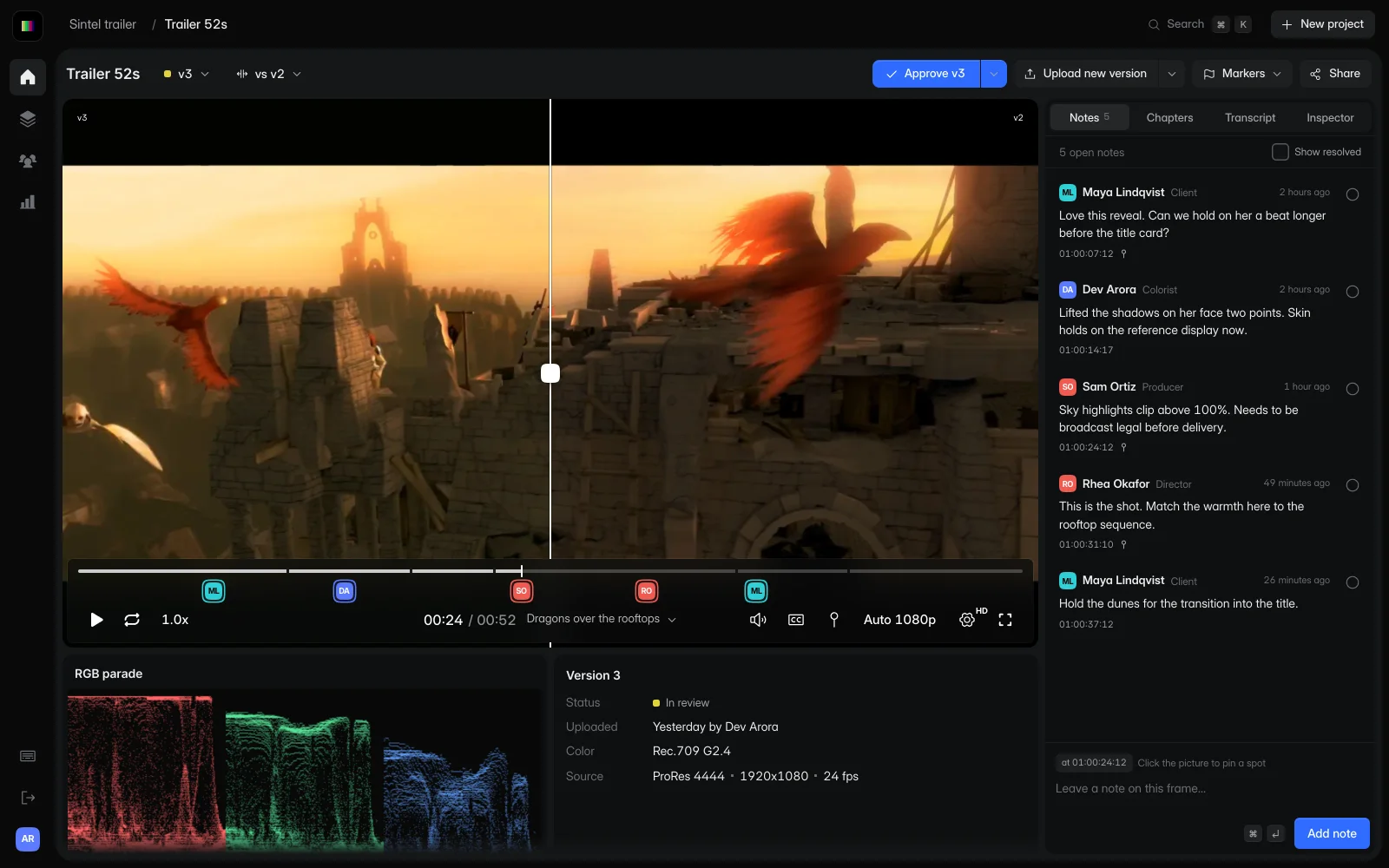
Frame.io Pro is $15 and Team is $25 per member each month. GradeVideo Studio is $19 per upload seat, with storage included.
Watermarked, password-protected review links are part of Studio. On Frame.io, watermarking starts on Team.
Add Studio seats from the app as the team grows. Frame.io Pro stops at 5 members and Team at 15.
Check the RGB parade, source resolution, frame rate and color space beside the frame, then export notes as markers for Resolve, Premiere Pro, Final Cut Pro or Avid.
What to know before you pay, from Frame.io’s own pricing and help pages.
Pro is $15 and Team is $25 per member each month on monthly billing. For a five-person team on Team, that is $125 a month, against $95 on GradeVideo Studio.
Pro allows up to 5 members and Team up to 15. A larger team has to talk to sales about Enterprise.
Static watermarking, 4K UHD playback and HDR playback start on the $25 Team plan.
Frame.io Free includes 2 GB of storage and 2 projects. GradeVideo Freelance includes 100 GB and 3 active projects.
Monthly list prices. Sources are linked at the end of the page.
| Feature | GradeVideo | Frame.io |
|---|---|---|
| Price per paid seat (monthly billing) | $19 on Studio | $15 on Pro, $25 on Team |
| Free plan | 1 seat, 3 active projects, 100 GB | 2 members, 2 projects, 2 GB |
| Paid team size | Add seats as you grow | Up to 5 members on Pro, 15 on Team |
| Watermarked review links | Studio ($19) | Team ($25) and up |
| HDR playback | Studio ($19) | Team ($25) and up, on iOS |
| Reviewers comment without an account | Yes, on every plan | Yes, through share links |
| Version comparison | Studio and Facility | Every plan |
| DRM-protected playback | Facility | Enterprise |
| SSO / SAML | Facility | Enterprise |
An honest note. Frame.io can be the better fit when:
Keep editing in your usual tools. Move the review to GradeVideo.
Download the current versions and any comment exports you want on record from Frame.io.
Add ProRes, DNxHR, H.264 or H.265 files up to 8K. We keep the original and create streaming renditions.
Share one link with your client. They can leave notes right away, with no account.
At monthly list prices, yes. GradeVideo Studio is $19 per upload seat each month. Frame.io Pro is $15 and Team is $25 per member each month. Check both pricing pages for current annual discounts.
GradeVideo covers the core review loop: share a cut, collect frame-accurate notes and drawings, compare versions, record approvals and export notes as timeline markers. Watermarked links and HDR playback are on the Studio plan.
Download the versions you need from Frame.io and upload them to a GradeVideo project. If you want to keep old comment threads, export them from Frame.io first and store the file with the project.
Yes. Export a review copy from Premiere Pro, upload it and send the link. When notes come back, export them as Premiere Pro markers (XML) and import them into your sequence.
No. Anyone with the link, and the password if you set one, can watch and comment. They enter a name so their notes are attributed.
Sources, checked September 30, 2026: Frame.io pricing. Prices are US list prices on monthly billing unless noted, before tax. Plans change, so check each product’s website before you buy.
Frame.io is a trademark of Adobe. GradeVideo is not affiliated with or endorsed by Adobe.
Start free with one editor and three projects. Reviewers never pay.