Review links and the app
A view counts whether it comes from a client on a review link or a teammate in the app.
Analytics records every view of every cut: who watched, where, on what device and for how long. It's included with Studio and Facility.
Compare plans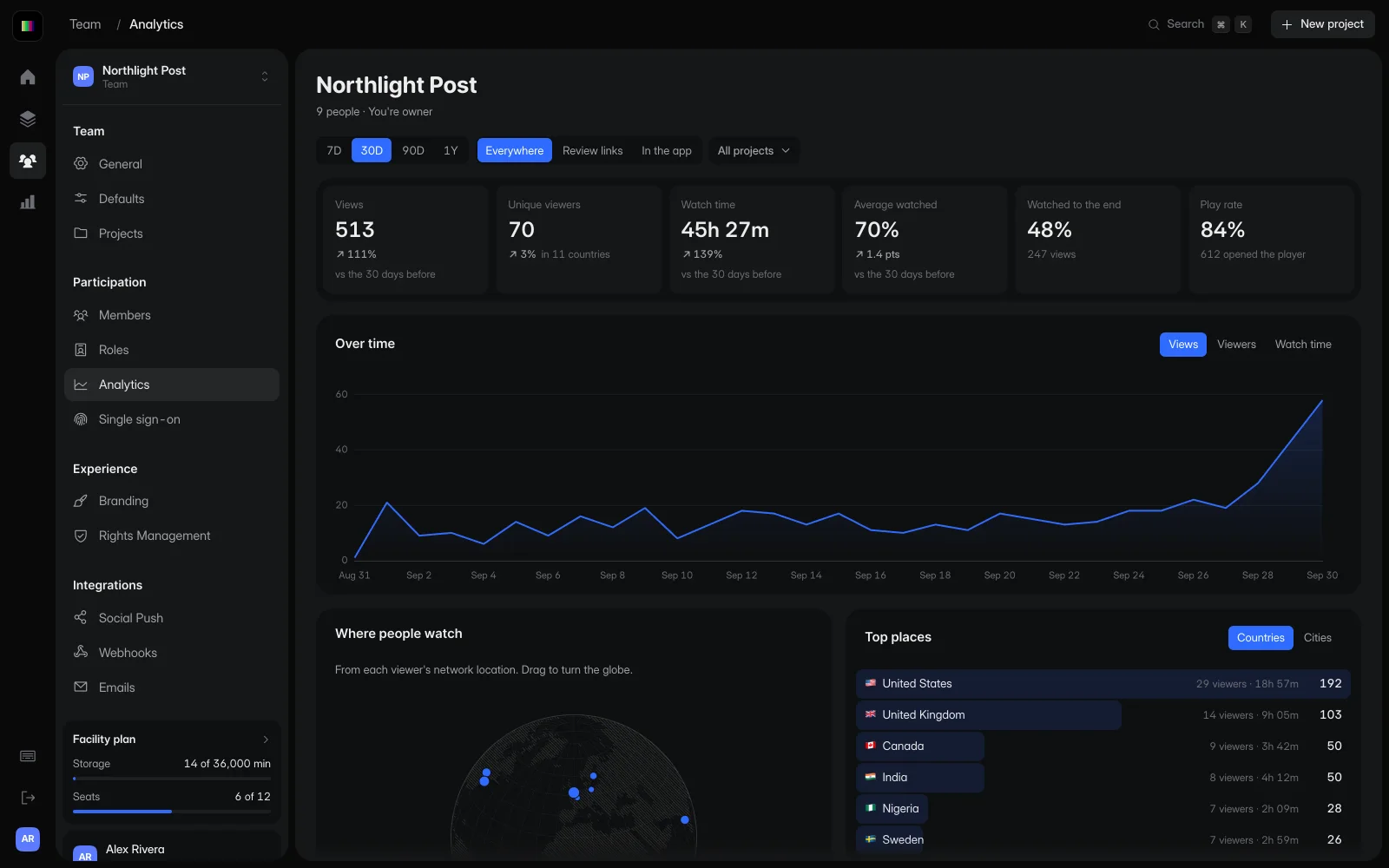
Open analytics for the whole team, or the Analytics tab on a file for that cut alone.
Views, unique viewers, watch time, how much of the cut people watched and how many reached the end, for the range you choose.

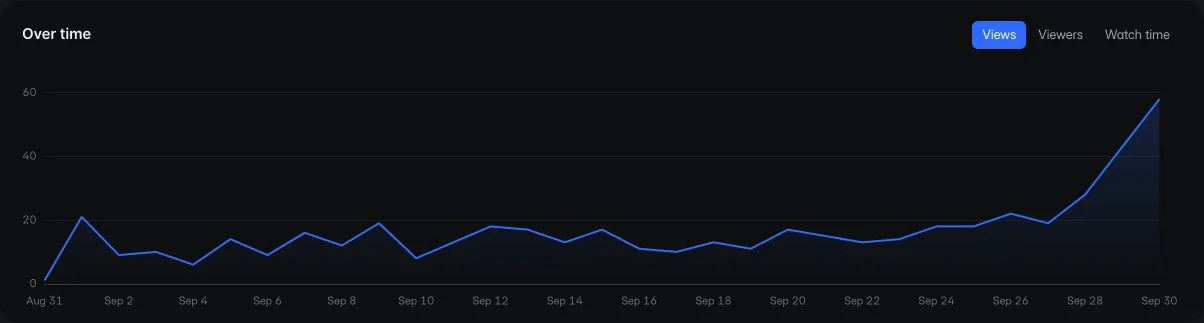
Views for each day in the range, across review links and the app, so you can see when a cut reached the people you sent it to.
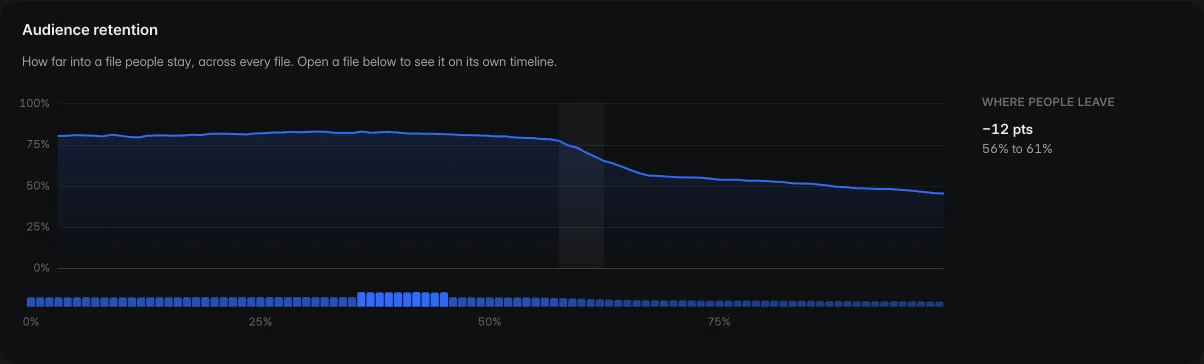
Audience retention shows how far into a cut people stay, and marks the moment most of them leave.
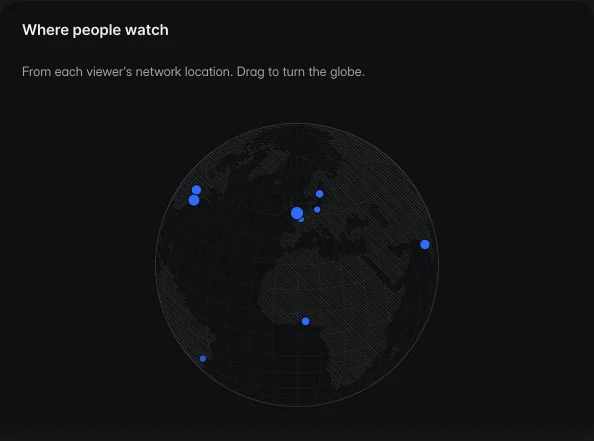
Every view is placed on the globe from the viewer's network location, with countries and cities ranked by views and watch time.
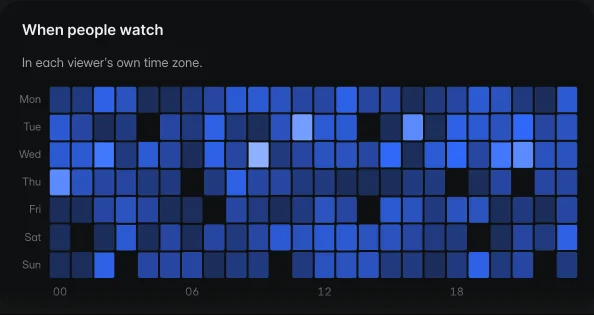
A grid of every hour of the week shows when people watch, in each viewer's own time zone.
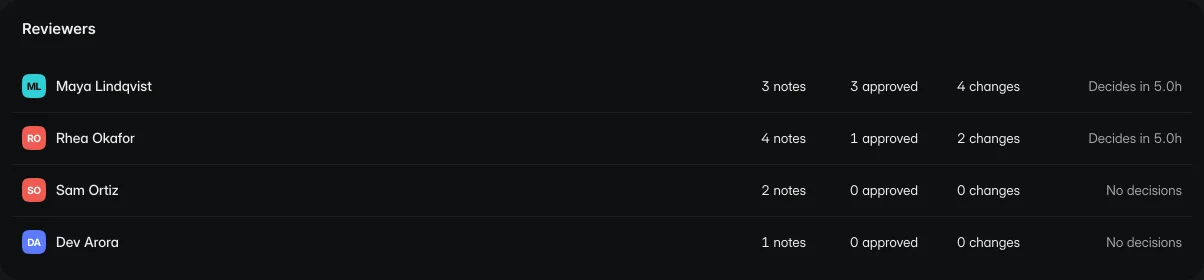
Each reviewer's notes, approvals and change requests, and how long they take to decide.
A view counts whether it comes from a client on a review link or a teammate in the app.
Choose the range you want to look at, and the totals and charts follow it.
The Analytics tab on a file shows who watched that cut.
Analytics is included with Studio and Facility.
Yes. Views are counted across review links and the app.
From the viewer's network location. It places the view in a city and country.
Start free with one editor and three projects. Reviewers never pay.