Talk while you watch
Allow microphones and people can talk in the session itself. Each person joins muted or with their microphone on, and whoever is speaking is marked under the picture.
Start a live session on any version and send its link. Everyone watches the same frame, draws on the picture and talks it through.
Compare plans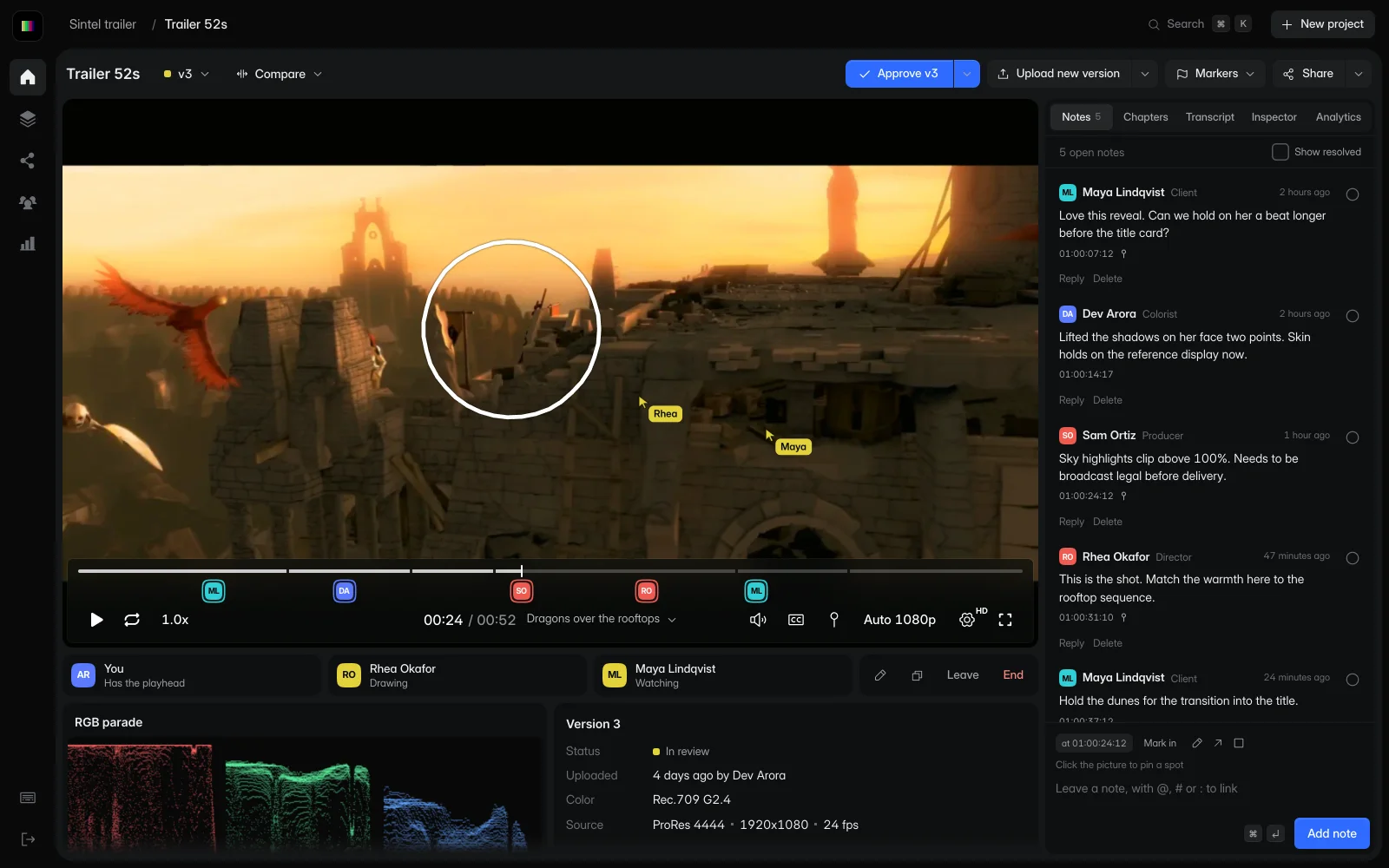
A producer starts a session on the latest grade. The director and the client open the link, and all three look at the same frame while they decide what changes.
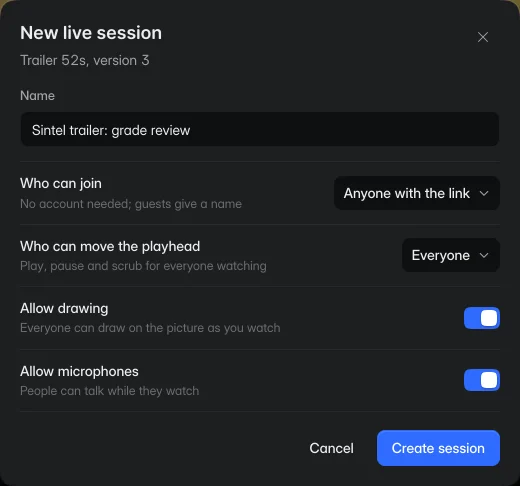
Choose Start session on the review page. Name it, pick who can join, and decide whether everyone can move the playhead or only you.
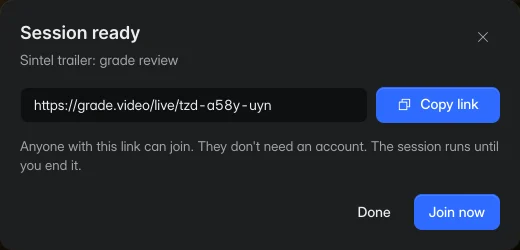
Each session has a short address that's easy to read out on a call. It works until you end the session, so people can leave and come back.
A team with its own domain can open its sessions there.
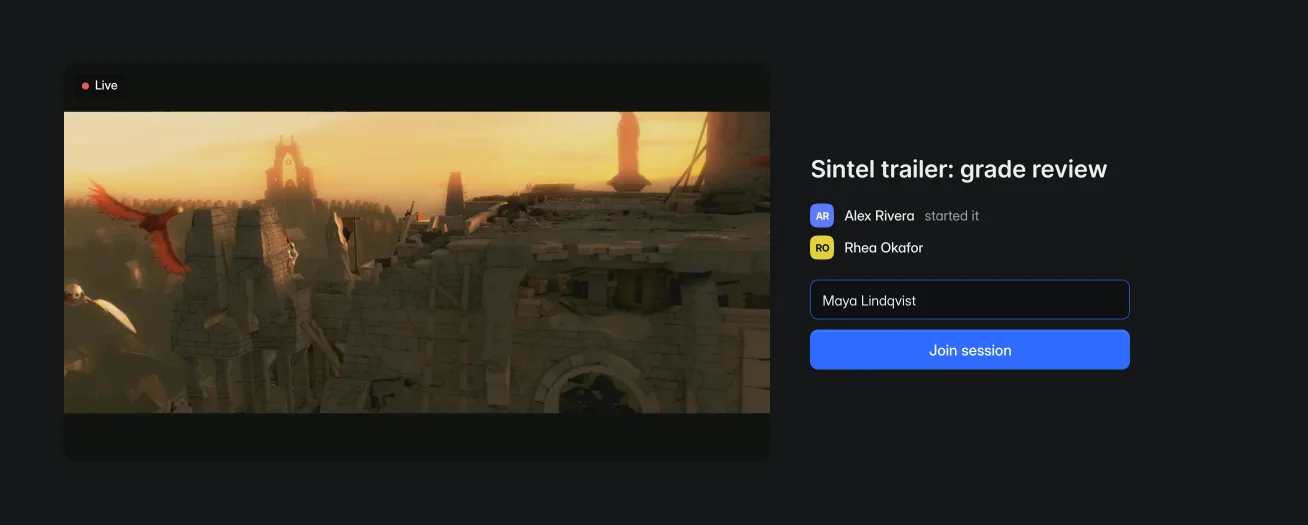
The link opens on the cut and shows who's already in. Someone outside your team types a name and joins, without an account or an install.
Play, pause, scrub or change speed, and every screen follows. Each person streams the video themselves, so nobody is watching a compressed screen share.
The row under the picture shows who has the playhead and who is drawing.
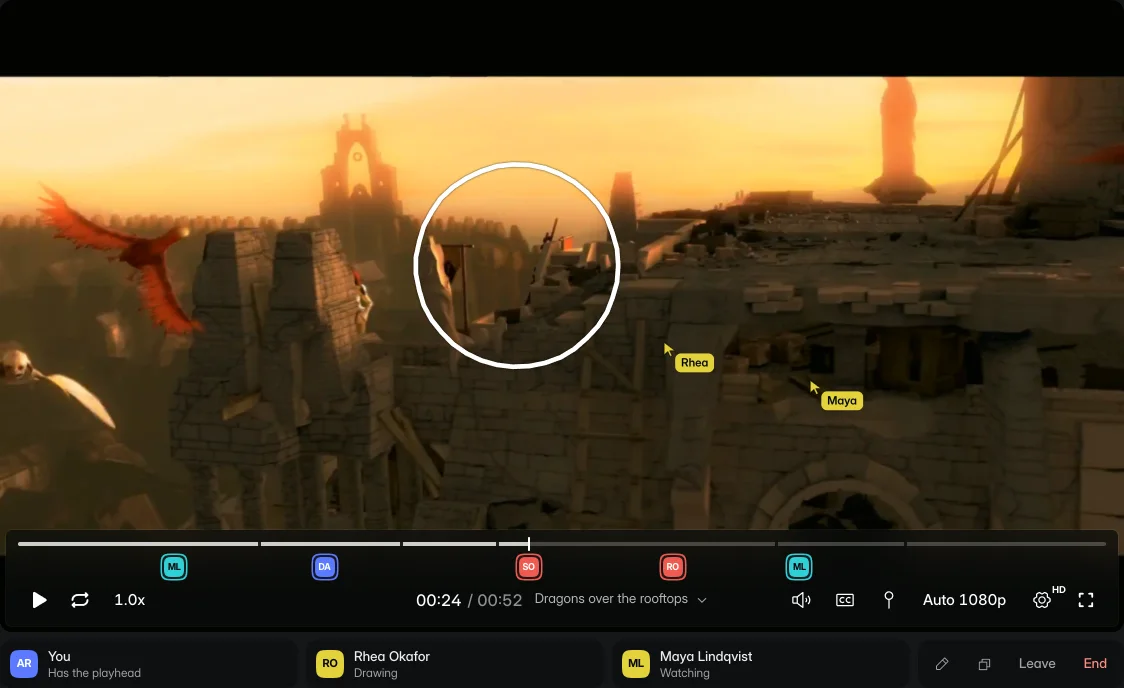
A drawing appears for everyone as it's made, and each person's pointer carries their name. Drawings clear when the session moves to another frame.
Allow microphones and people can talk in the session itself. Each person joins muted or with their microphone on, and whoever is speaking is marked under the picture.
Your team joins from the review page, with the notes beside the picture. A note added during the session is saved on the version and shows up for everyone on the team.
Open a session to your team, to the people you invite or to anyone with the link. Admins choose the default and can turn off public links and outside invites.
No. When a session is open to anyone with the link, a guest types a name and joins. People you invite from outside the team each get their own link by email.
No. Each person plays the video in their own browser, and the session keeps every playhead on the same frame. The picture is the same one they'd see in any other review.
You choose when you start the session: everyone, or only you. When everyone can, the session shows who has the playhead.
Every plan, including Freelance.
Until whoever started it ends it. Ending a session takes everyone out and stops its link from working.
Start free with one editor and three projects. Reviewers never pay.